Follow the steps below to resolve the issue of no sound in web recording.
Step 1: Access the Microphone Device Selection Page
First, click the button to the left of the browser address bar. In the pop-up window, click the details button next to the microphone switch.
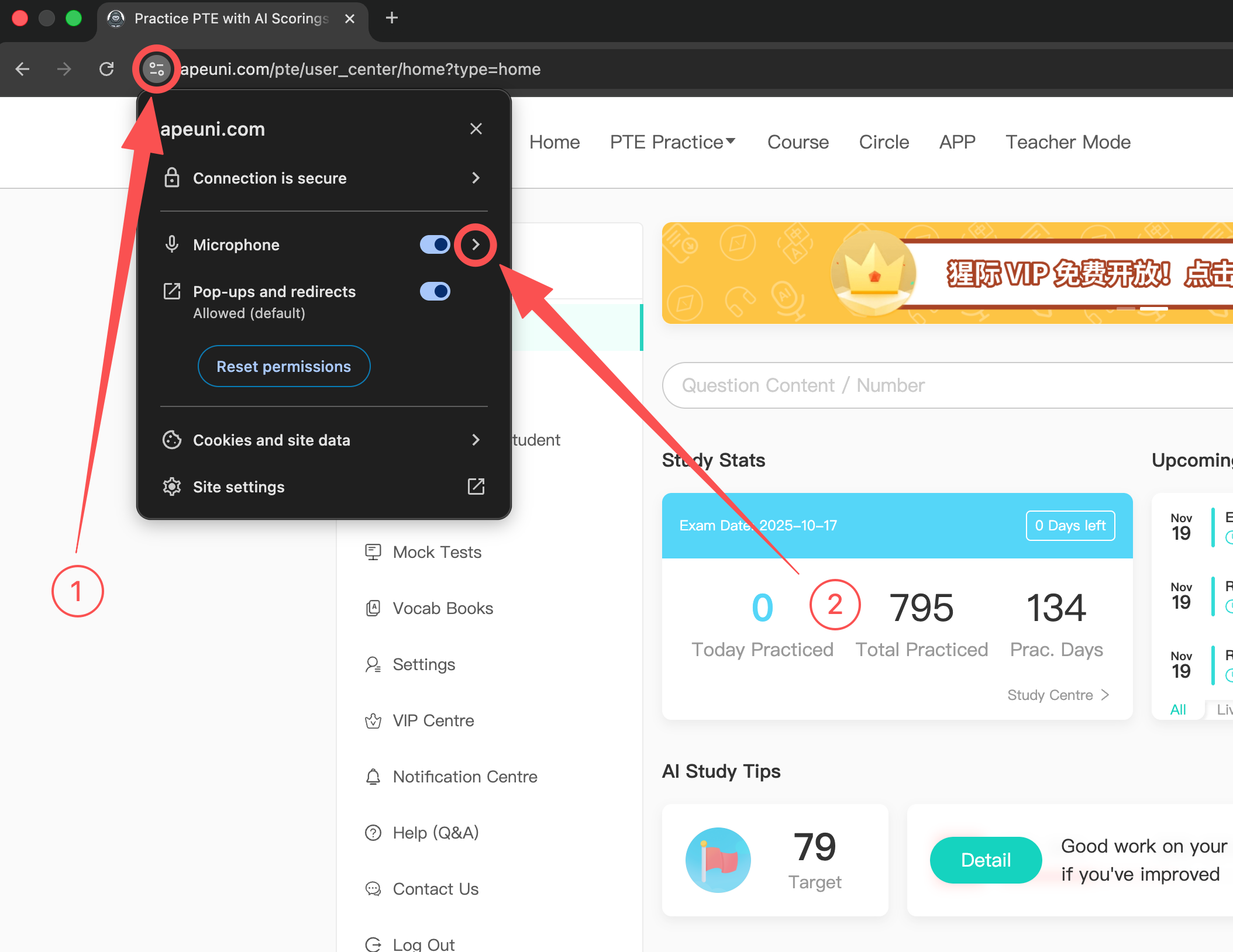
Step 2: Select a Microphone
In the microphone device list in the pop-up window, choose a microphone where the bar moves while you speak. If you have no available microphones at all, proceed to Step 3.
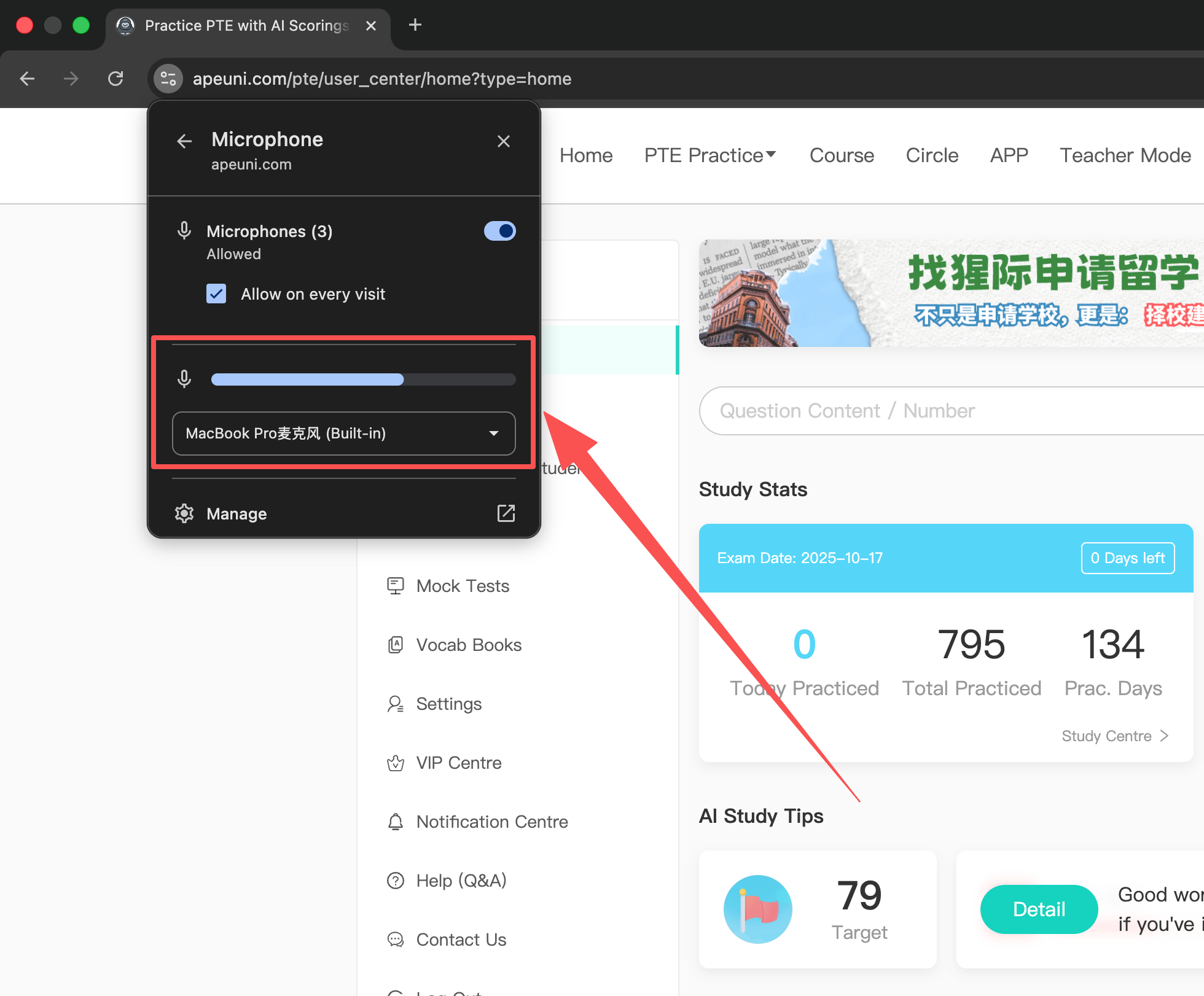
Step 3: Check the Microphone Status
If you have no available microphones at all, click the links below to check whether your microphone is working properly:
Test microphone on WindowsTest microphone on macOS
If you still encounter issues after following the steps above, please contact us:
Email:
support@apeuni.com